
Qualtrics is the leading platform for web-based studies in the social sciences, but it was not built with social scientists in mind. As one important example, within Qualtrics it is quite hard to create a readable document showing what a Qualtrics study actually involved, including what was shown to participants, how randomization was implemented, etc.
This post is about a new feature in ResearchBox that solves this problem.
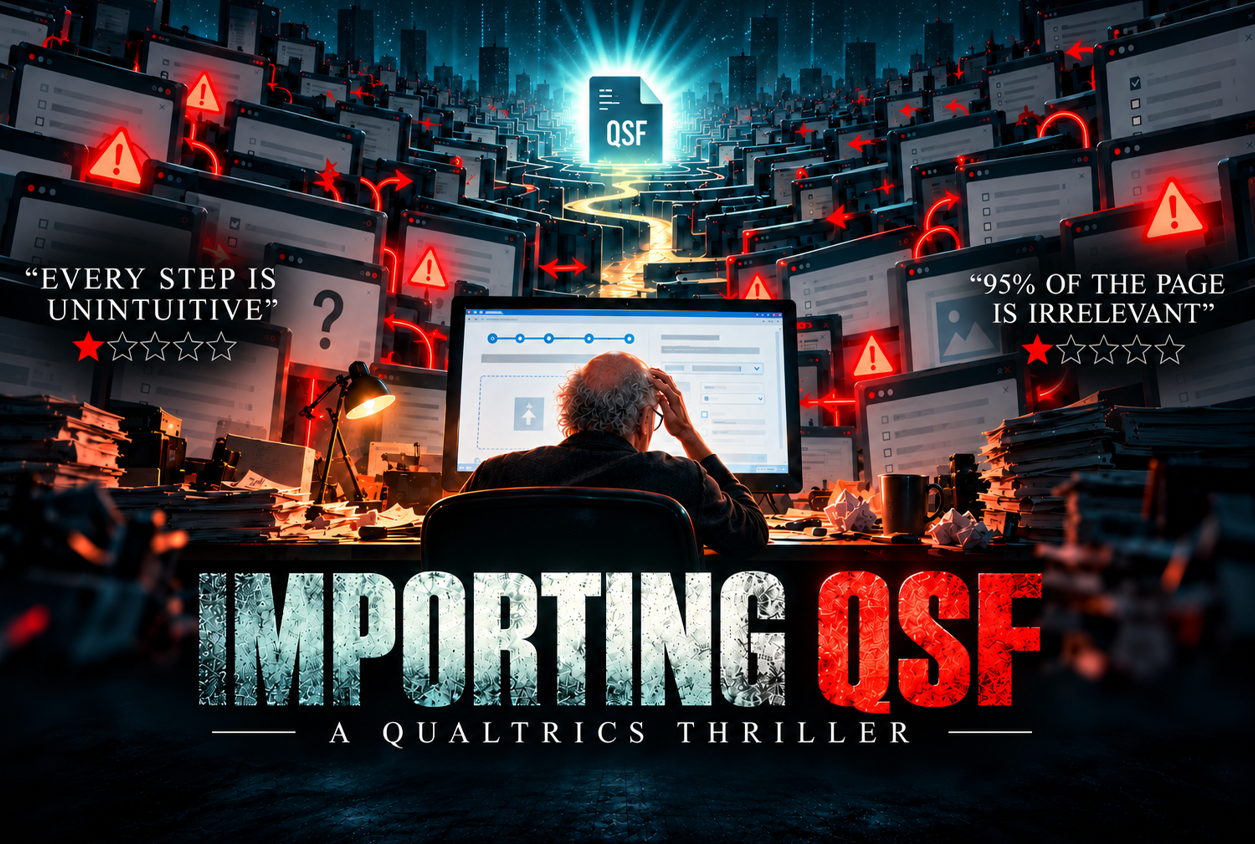 Qualtrics Files Are For Machines
Qualtrics surveys are natively saved as “.qsf” files, using JSON, a common format for computers to store structured data that is inscrutable to humans. Figure 1 shows what a (small part) of a study I recently ran with Daniel Banki looks like.
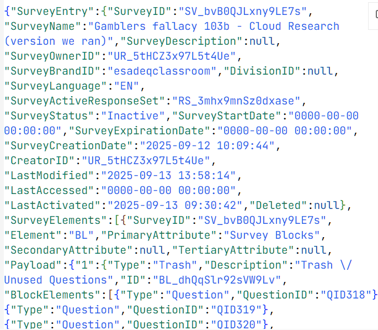
Fig 1. What a Qualtrics (.qsf) file looks like (intended for computer consumption)
There are two options for sharing QSF files in a human readable format.
The first is to log into Qualtrics, then follow a series of nonintuitive steps to import the QSF, and then click on “preview” to walk through a study as a participant would, one question at a time. (See video at the end of post).
The other option is to “export” a QSF file to a Word document within the Qualtrics platform. This works sometimes, but often it produces documents full of junk ‘information’. For example, that QSF file from Figure 1 was exported to Word as the beauty you see in Figure 2 (it actually is an unusually simple study).
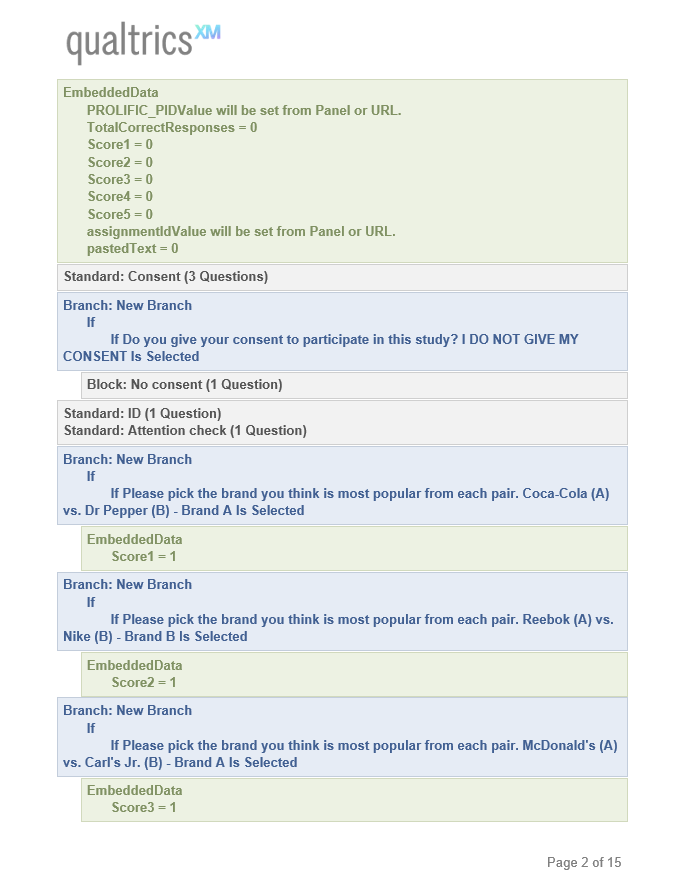
Fig 2. First page with a Qualtrics PDF export (intended for human consumption)
(As you may have guessed, the XM in “qualtricsXM” stands for “experience management”).
I am here to tell you it does not need to be this way, as ResearchBox has a new feature that solves this problem. All you have to do is… …absolutely nothing. If you upload a QSF file to ResearchBox, it will create a companion PDF that humans will understand and pair it with the QSF file.
QSF to PDF
The PDFs ResearchBox generates have two parts. In Part 1, you see the survey the way a random participant would have seen in it. In the second part you see the full survey that different participants could see, with color annotations depicting logic, randomization, validation, etc.
For illustrative purposes, I converted the same QSF file depicted in Figures 1 and 2 using ResearchBox’s QSF2PDF app. The generated PDF begins with this cover page:
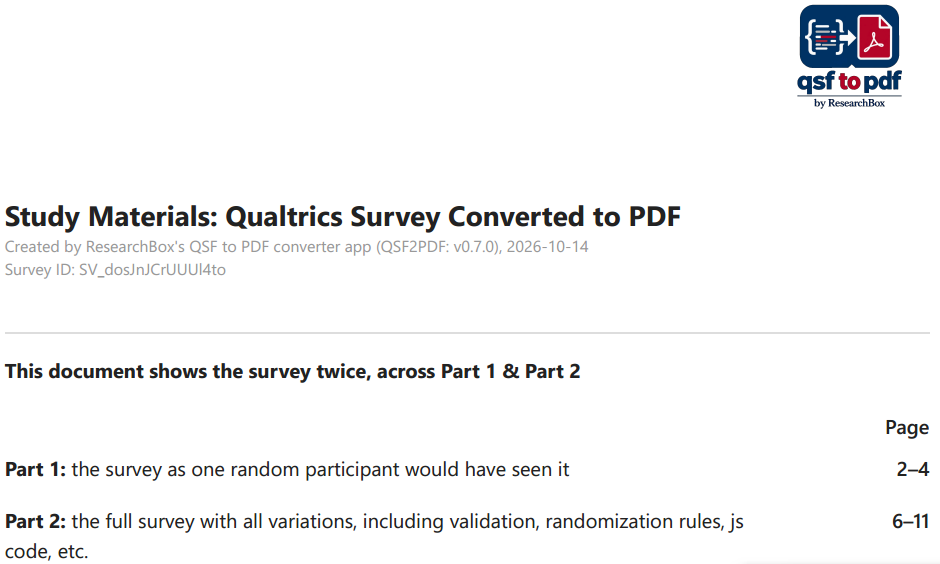
Fig 3. Sample cover page for PDFs generated by ResearchBox’s QSF2PDF
Then you see the survey as one participant would have seen it; each original self-contained screen is a numbered box (e.g., Screen #1, Screen #2…):
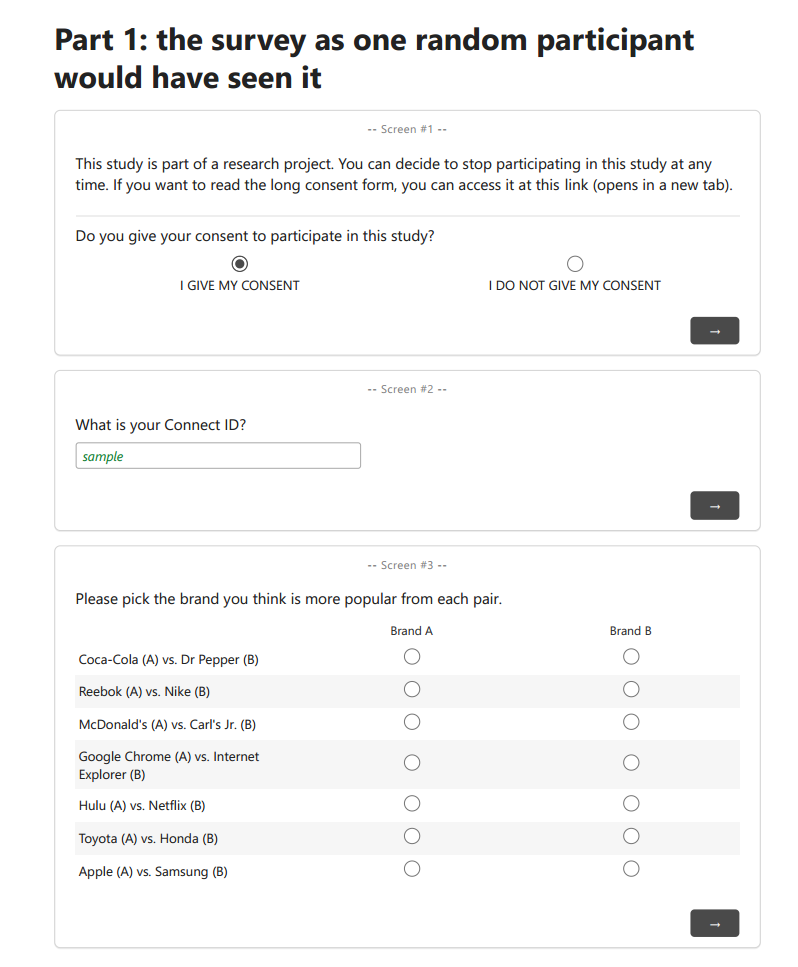
Fig 4. Sample Part 1 for PDFs generated by ResearchBox’s QSF2PDF
Scrolling down to Part 2, we now see the annotated version of the full survey.
We see below that multiple choice answers were presented in a random order and that participants needed to get at least 4 questions right in order to pass this attention check:
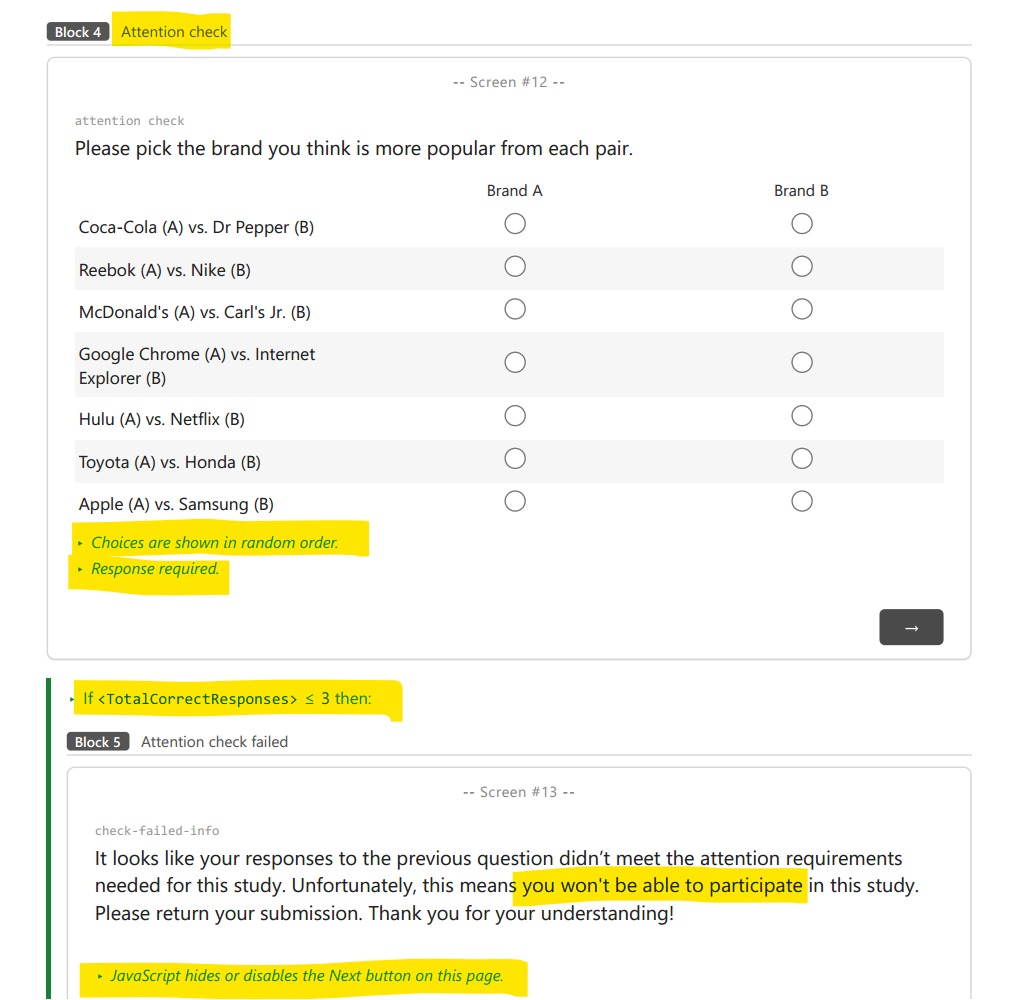
Fig 5. Part 2 of the PDF generated by ResearchBox’s QSF2PDF shows the survey logic
Many studies vary what is shown to participants across conditions. ResearchBox’s QSF2PDF communicates this in Part 2 with color-coded text.
Here is an example using a classic framing-effects study first conducted by Kahneman and Tversky.
In it participants are given the same facts about a upcoming outbreak that could kill 600 people, and are given two alternative courses, one is riskier than the other, and the experiment compares how framing the outcomes as gains (lives saved) or losses (deaths) impacts participants’ responses.
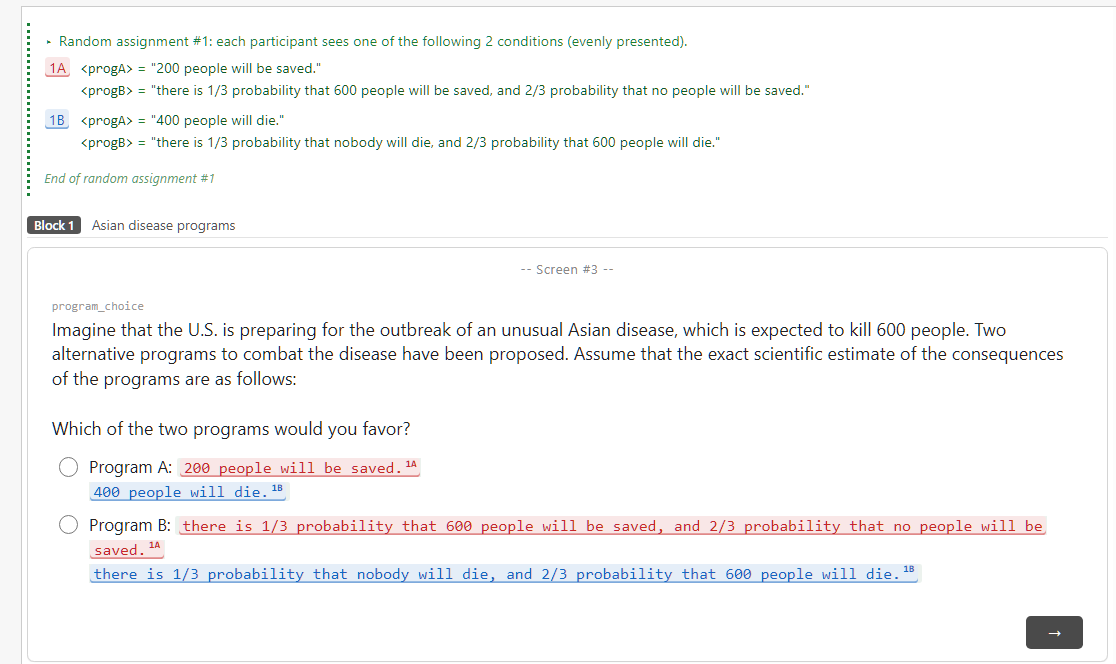
Fig 6. Alternative text shown side-by-side
As a reminder, the entire PDF is automatically generated (usually in less than one second). The green text is put together by the app without any author (or AI) involvement; it just reads the QSF file and does it.
QSF2PDF for Non-ResearchBox Users
While ResearchBox is experiencing strong growth these days, not everyone uses ResearchBox (yet?).
In any case, you don’t need to be a ResearchBox convert to convert QSF files to PDFs. You can just visit the standalone QSF2PDF page, convert it to PDF, and upload that file to whatever (less user-friendly) platform you currently prefer.
You can also convert QSF files others created. The next time that you read an article with posted .qsf files on the OSF, the Dataverse, etc., you will be a few seconds away from having a readable and annotated PDF.
Hollywood ending
I close with two videos comparing Qualtrics vs ResearchBox conversions.
Note: While these videos are safe for work (except perhaps at Qualtrics headquarters), beware that they do have sound.
Video 1. Trying to view a QSF file in Qualtrics
(best viewed in full-screen mode)
Video 2. Viewing it in ResearchBox
Music credit in footnote [1]

Footnotes.
- The Qualtrics video plays “Frolic by Luciano Michelini, the theme from Curb Your Enthusiasm. The ResearchBox video plays “Technologic” by Daft Punk[↩]